Gantt-Chart for Confluence

Embed Gantt Charts in Confluence Pages

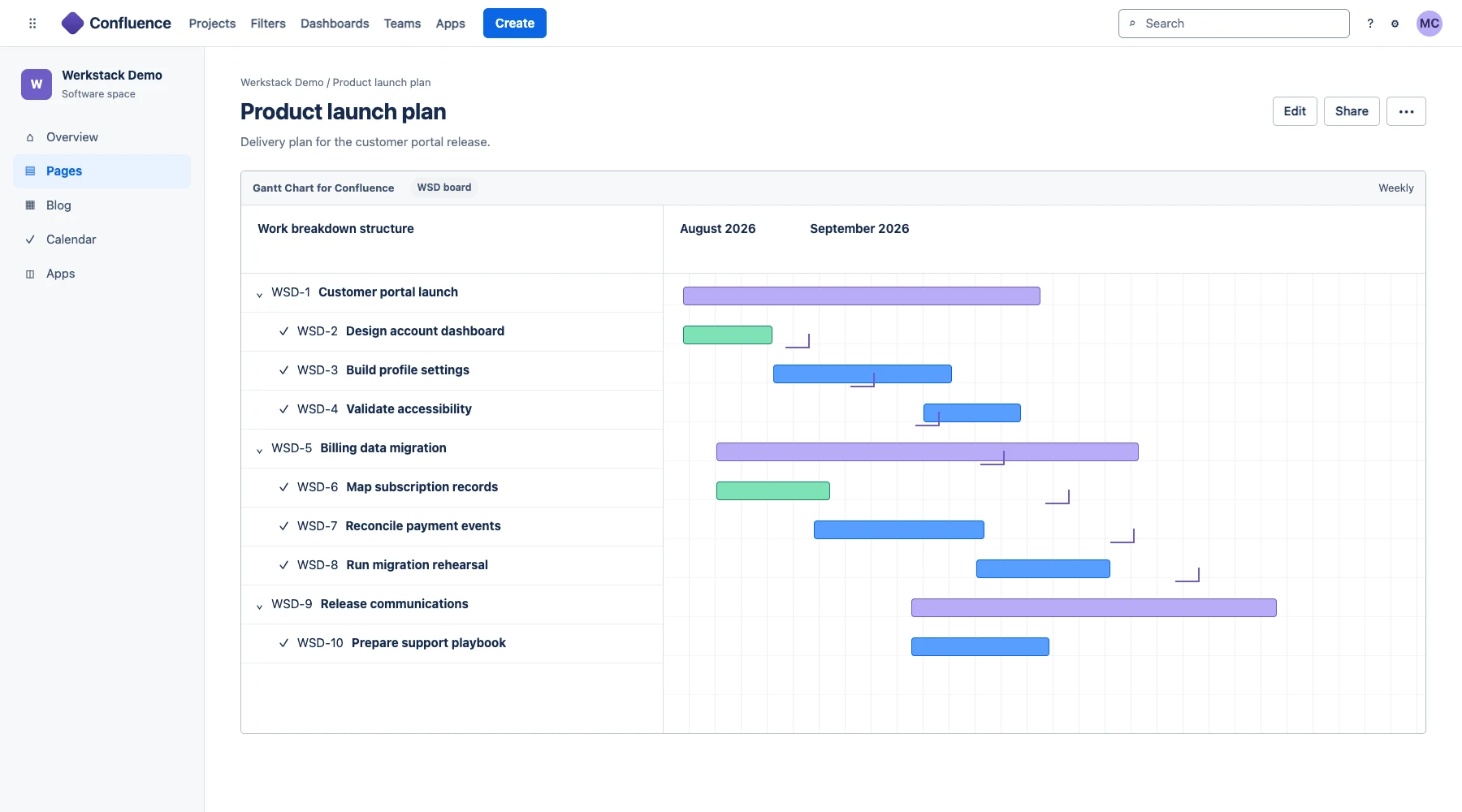
Gantt-Chart for Confluence adds the cross-product macros needed to display Gantt-Chart for Jira views on Confluence Cloud pages, keeping timelines beside project briefs, decisions, and status updates.

30+ teams work with it
Gantt-Chart for Confluence screenshot 1

Everything you need, built right into Jira

Confluence Cloud Macros

Add the integration macro to a Confluence page and select the Jira Gantt chart the page should display.

Classic and Current Page Layouts

Display Jira Gantt charts in both classic Confluence pages and the current page layout.

One Shared Planning View

Keep the project timeline visible in the Confluence page where stakeholders read context and decisions.

Product guide

How to use Gantt-Chart for Confluence well

Put live planning context beside project documentation

Project schedules are easier to understand when they sit beside scope, risks, decisions, and status notes. The Confluence integration embeds a chart maintained in Jira into the page stakeholders already use for project communication.

That avoids maintaining a second timeline image or manually copying dates into Confluence. The Jira chart remains the planning source, while Confluence provides the narrative and collaboration context.

How the two-app integration works

Install Gantt-Chart for Jira for timeline planning and the companion Confluence app for the cross-product macros. Add the macro to a Confluence page, select the chart to display, and publish the page for the intended audience.

Before a broad rollout, confirm that Confluence viewers have the Jira permissions required to see the underlying issues. The integration does not replace Jira access controls.

Before you install

  • This is a companion integration: both the Jira and Confluence Marketplace apps are required.
  • The current listing supports Confluence Cloud.
  • This is a commercial app paid through Atlassian after the free trial; check both required listings when estimating cost.
  • A viewer's access to underlying Jira information remains subject to the relevant Atlassian permissions.

Built for your industry

Project Status Pages

Place the current Jira timeline next to the project brief, risks, decisions, and meeting notes in Confluence.

Project ManagementEnterprise

Stakeholder Communication

Share a visual schedule with Confluence readers without copying dates into a separate static diagram.

Portfolio ManagementOperations

Frequently Asked Questions

No. It provides the Confluence side of the integration. Gantt-Chart for Jira supplies the chart, and both Marketplace apps are required for the cross-product macros.

The current Marketplace listing is for Confluence Cloud. Check the listing before installation for the latest compatibility details.

Yes. The Marketplace listing documents macros for both classic pages and the current Confluence page layout.

Ready to try Gantt-Chart for Confluence?

Start a free trial on the Atlassian Marketplace. No credit card required.