
Group Sign-Off
byParallel Multi-Person Approvals for Jira, with optional workflow gating
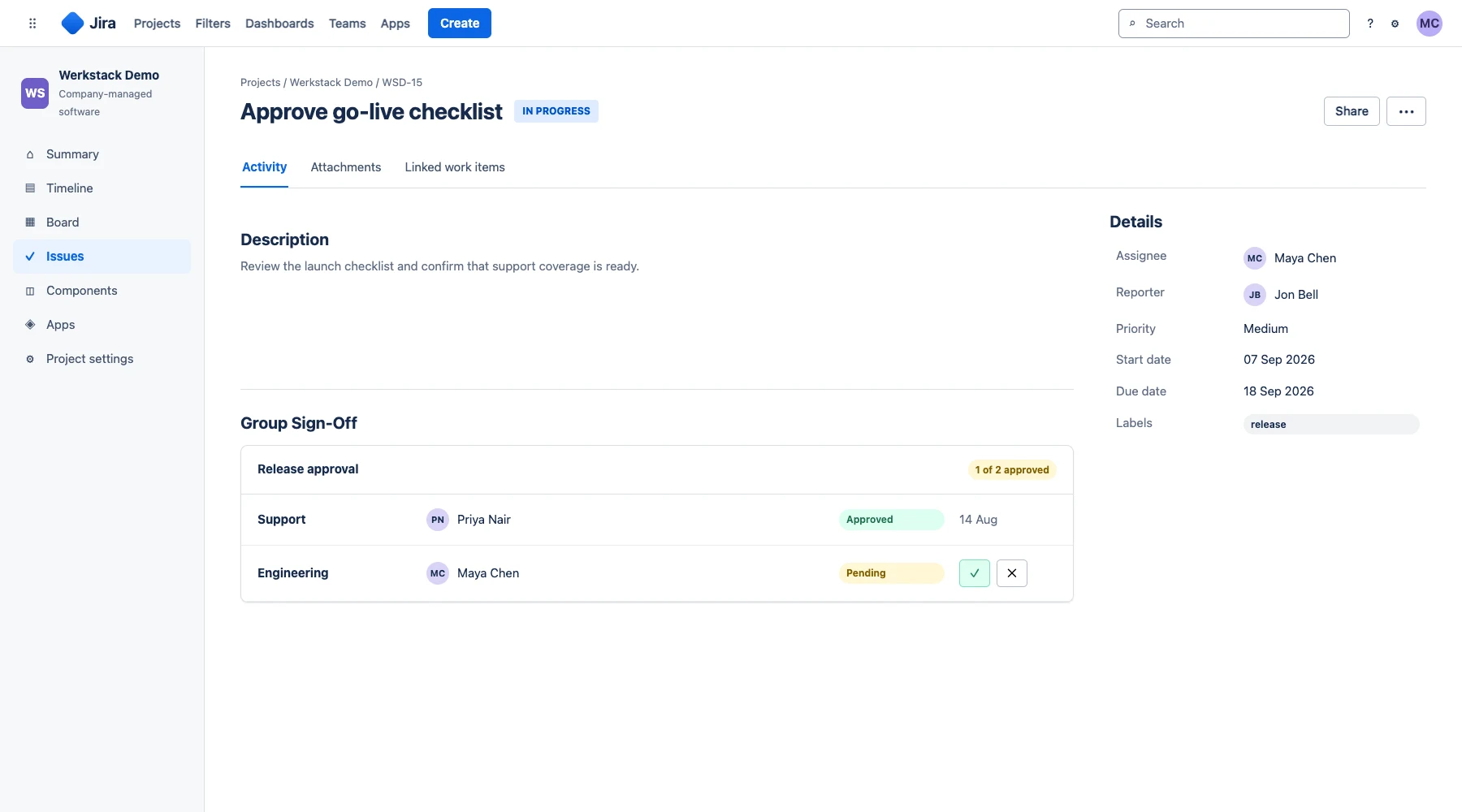
Group Sign-Off brings structured, auditable multi-person approvals to Jira. Configure parallel or sequential voting, quorum (M-of-N) sign-offs per approver group, conditional approver rules, and optional re-authentication and decline reasons. Approval conditions can gate selected workflow transitions, while field-level approval activity can run alongside an existing workflow.
Why teams struggle without it
- 01
Releases go out without a recorded approver, and the gap surfaces in the next audit
- 02
Email-based approvals create no audit trail and get lost in inboxes
- 03
Sequential approval chains add days or weeks of delay to releases
Key capabilities
Parallel & Quorum Approvals
Let deciders vote in parallel or one after another, and require a quorum, such as any M of N members of a group, to reduce dependence on one specific approver.
E-Signature Re-Authentication
Optionally require approvers to re-authenticate before a decision, with an individual app secret on Cloud or their Jira password on Data Center, as an additional identity check.
Conditional Approval Rules
Vary the required approvers per issue by component, priority, or any field. Decisions already recorded stay valid if a referenced field changes later.
Mandatory Decline Justification
Optionally refuse a rejection until the approver enters a reason, captured as a comment on the issue for the record.
Approval Notifications
Optionally notify deciders with pending decisions when an approval starts. The Data Center edition also supports decisions from notification emails.
Four-Eyes Principle
Enforce the Vier-Augen-Prinzip digitally. Require multiple independent approvers before work can proceed.
Flexible Workflow Integration
Use Group Sign-Off as an approval layer on an issue, or add its conditions to selected Jira transitions when the workflow itself must be gated.
Workflow Integration
Add approval conditions to selected Jira workflow transitions so those transitions remain unavailable until the configured sign-offs are complete.
Decision History
Review a timestamped decision history covering approvals, rejections, and delegations, including the acting user and decision. Admin removals and resets are noted as issue comments.
Built for your industry
Automotive & Aerospace
Reviews, sign-off and traceability for teams working under ISO 26262 and DO-178C.
Financial Services
Four-eyes approval and segregation of duties for teams working under MaRisk and SOX.
Public Sector
Formal approval chains with a recorded decision history for public-sector governance.
Technology & Enterprise
Change approval boards, release gates and security reviews, with approval records your SOC 2 and ISO 27001 audits can draw on.
Frequently Asked Questions
Yes. Group Sign-Off is available for Jira Cloud and is also supported on Data Center. Note that Atlassian will end Data Center support in 2029, so we recommend Cloud for new installations.
Yes. In parallel mode, all deciders can vote at the same time in any order. In sequential mode, each decider waits until the previous one has decided, in the configured order.
Group Sign-Off keeps a timestamped decision history with the acting user and decision for approvals, rejections, and delegations. Admins can remove decisions or reset an approval if that is enabled, and those actions are noted as issue comments.
Native Jira and Jira Service Management approvals cover simple sign-offs. Group Sign-Off adds separate quorum (M-of-N) thresholds per approver group, conditional approver rules, delegation, optional mandatory decline reasons, optional re-authentication, and a timestamped decision history.
Yes, as an option. On Cloud, deciders confirm with an individual secret configured in the app. On Data Center, they re-enter their Jira password.
Group Sign-Off provides workflow conditions you can add to Jira workflow transitions. You choose which transitions require sign-off, and the condition keeps them unavailable until the approval state is met. Without those conditions, the approval field runs alongside your existing workflow.
Yes. Approval requirements can be configured per issue type, project, or even based on custom field values, giving you flexible governance.
If delegation is enabled, deciders or admins can delegate a pending decision to another user. Quorum rules can also allow any configured M of N members to complete an approval group.
Related resources
Cloud documentation
Open setup and configuration guidance.
DocumentationData Center documentation
Open setup and configuration guidance.
Learn moreAugust 2026 pricing update
Review the effective date and complete annual price list.
Learn moreApproval workflow guide
Design parallel, auditable approval workflows in Jira.
Learn moreCompliance approval solution
See the broader governance and rollout approach.
Ready to try Group Sign-Off?
Start a free trial on the Atlassian Marketplace. No credit card required.